 apply now
 (213) 385 – 7781
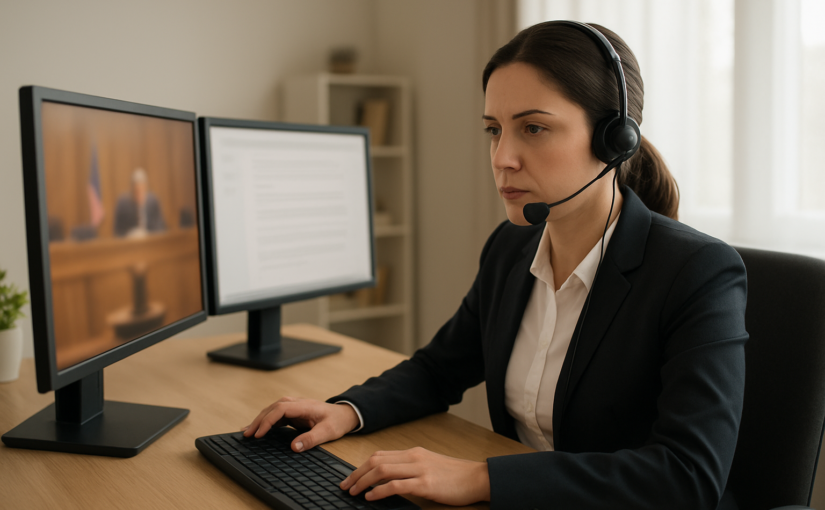
Remote hearings, telehealth visits, and phone-based encounters are now a routine part of language access. For aspiring interpreters, that means mastering not only terminology and ethics, but also the technical and procedural skills that make remote assignments safe, accurate, and professional. These remote court interpreting tips are especially important for bilingual professionals preparing for court or medical certification, because remote work changes how interpreters manage turn-taking, confidentiality, sound quality, fatigue, and the pace of communication.
Whether you are interpreting by video remote interpreting (VRI) or over-the-phone interpreting (OPI), the core challenge is the same: you must preserve meaning while working through screens, microphones, internet lag, and limited visual cues. In court, a missed word can affect the record. In healthcare, a muffled medication instruction can affect patient safety. That is why interpreters need clear protocols, practical scripts, and a repeatable setup that supports accuracy under pressure.
In this article, we will cover platform lag, requesting repetitions without disrupting proceedings, handling privacy under HIPAA and FERPA, and reducing interpreter acoustic shock and fatigue. We will also look at VRI best practices interpreters can apply immediately, along with Zoom courtroom protocol habits that help maintain professionalism in remote legal settings.
Why Remote Interpreting Requires Its Own Skill Set
Many new interpreters assume remote work is simply in-person interpreting with a webcam. In reality, remote assignments require a separate layer of competence. The interpreter must monitor sound quality, identify crosstalk quickly, manage delays, and intervene appropriately when technology interferes with comprehension.
In person, you can often rely on body language, room acoustics, and side conversations to understand what is happening. Remotely, those supports are weaker or absent. Participants may speak over one another, move away from microphones, forget to unmute, or join from noisy spaces. In a courtroom, a judge may move quickly through a calendar, attorneys may interrupt, and defendants may struggle to hear through poor audio. In a hospital, clinicians may speak through masks, from hallways, or while handling equipment.
That is why strong remote interpreters build systems. They do not wait for problems to happen. They prepare equipment, establish ground rules, and use concise professional interventions when clarity breaks down.
Core Remote Setup: The Foundation of Accuracy
Before discussing protocols, it helps to start with the technical basics. Many performance problems blamed on skill are actually setup problems.
Minimum equipment standards
- Wired high-speed internet when possible, or strong stable Wi-Fi with a backup plan.
- Quality headset with noise-canceling microphone rather than laptop speakers and built-in mic.
- Closed-back headphones to reduce echo and improve concentration.
- A quiet private room with a door, neutral background, and minimal interruptions.
- Device backup, such as a charged phone or second computer in case the main platform fails.
- Power backup, including charger cables plugged in before the session begins.
- Platform familiarity with mute, camera, breakout room, chat, language channel, and audio settings.
Pre-session checklist
- Test audio input and output 15 to 30 minutes before the session.
- Close unnecessary apps and browser tabs to reduce bandwidth strain.
- Silence notifications on phone, computer, and smartwatch.
- Confirm names, case or appointment number, language pair, and interpreting mode.
- Keep water, notepaper, and a pen nearby.
- Review any available terminology or case context in advance.
These habits are not optional extras. They are part of professional readiness, especially when your work may be reviewed by a court, agency, or healthcare institution.
Managing Platform Lag Without Losing Control
Lag is one of the most common remote interpreting problems. It may appear as frozen video, delayed audio, robotic sound, or words dropping out entirely. Even a one-second delay can disrupt turn-taking and create the impression that the interpreter is interrupting or hesitating.
Among the most useful remote court interpreting tips is this: treat lag as a procedural issue, not a personal failure. If the platform is distorting speech, your duty is to protect the accuracy of the interpretation and the integrity of the record.
How lag affects court and medical interpreting
- In court, lag can cause the interpreter to miss objections, side comments, dates, names, and numbers.
- In medical settings, lag can distort dosage instructions, symptoms, allergies, and informed consent discussions.
- In both settings, lag increases cognitive load because the interpreter is constantly predicting what may have been said.
Practical strategies for lag
- Ask speakers to pause between segments. Shorter utterances reduce the chance of overlap and make delayed audio easier to manage.
- Turn off nonessential video if allowed. In some settings, disabling participant video can improve audio stability.
- Use the platform’s original sound or high-fidelity audio settings if available and approved.
- Move closer to the router or switch to wired internet.
- Have a backup call-in number ready. If video fails, audio-only may be better than a broken video feed.
- State the issue immediately and neutrally. Do not guess when audio is incomplete.
Professional scripts for lag
Interpreters need short, respectful language that does not disrupt proceedings more than necessary. For example:
- Court: “Interpreter requests repetition. The audio cut out.”
- Court: “Interpreter requests shorter segments due to platform delay.”
- Medical: “The interpreter did not hear the last part clearly. Please repeat that sentence.”
- Medical: “There is a connection delay. Please pause briefly after each statement.”
Notice that these scripts are concise and specific. They identify the communication barrier without blaming a person in the room.
Requesting Repetitions Without Disrupting Proceedings
One of the biggest fears for new interpreters is interrupting a judge, attorney, physician, or nurse. But allowing unclear speech to pass is far riskier than making a proper intervention. The key is to intervene at the right moment, with the right register, and for the right reason.
In legal settings, the interpreter must preserve the record and ensure meaningful access. In medical settings, the interpreter must support accurate communication while remaining within the interpreter role. In both, interventions should be limited, neutral, and tied directly to comprehension.
When repetition is necessary
- The speaker was inaudible or partially cut off.
- Two or more people spoke at once.
- A proper noun, date, address, medication, or number was unclear.
- The speaker moved away from the microphone.
- Background noise masked a critical phrase.
- The pace was too fast for complete and accurate interpretation.
Best practices for requesting clarification
- Interrupt early. Waiting too long increases the amount of unrecoverable content.
- Address the communication issue, not the person. Say “audio was unclear,” not “you were mumbling.”
- Be precise. If only a date or name was unclear, request only that item.
- Use first person only for interpreted speech, not for interventions. Follow the protocol of the court or institution.
- Keep your tone controlled and professional.
Examples of targeted requests
- “Interpreter requests repetition of the date.”
- “Interpreter requests the last answer be repeated one phrase at a time.”
- “Please repeat the medication name and dosage.”
- “One speaker at a time, please, for the interpretation.”
These are simple, but they can prevent major errors.
Zoom Courtroom Protocol and Remote Professionalism
Because many hearings now take place online, interpreters should understand basic Zoom courtroom protocol even if the court uses another platform. Each jurisdiction has its own local rules, so always confirm procedures with the court or official source, such as the Judicial Council of California or the relevant state court administration. Still, some professional standards are broadly applicable.
Common Zoom courtroom protocol expectations
- Join early to test audio and receive instructions.
- Use your real professional name as directed by the court.
- Mute when not speaking, but be ready to unmute quickly for interpreted segments or interventions.
- Dress as you would for court in person.
- Keep camera framing stable with appropriate lighting and neutral background.
- Do not record unless explicitly authorized by the court.
- Avoid private messaging with parties unless court protocol permits it.
- Know whether interpretation will be consecutive, simultaneous, or chuchotage through a separate audio channel.
Role boundaries matter online too
Remote settings can blur boundaries. Parties may assume the interpreter can troubleshoot the platform, explain legal procedure, or summarize what happened while they were disconnected. The interpreter should remain within role. You may report a communication problem. You should not provide legal advice, advocate, or independently decide what information is unimportant enough to omit.
Scenario: a remote arraignment with audio overlap
Imagine a Spanish interpreter assigned to a remote arraignment calendar. The judge is moving quickly. Defense counsel joins from one location, the defendant from a detention facility, and the prosecutor from another office. The defendant’s audio has a half-second delay, and each time the judge asks a question, defense counsel begins speaking before the defendant finishes.
An inexperienced interpreter might try to “make it work” by piecing together fragments. A trained interpreter does something else. The interpreter waits for an appropriate pause and states: “Interpreter requests one speaker at a time and repetition of the defendant’s last statement due to audio overlap.” Later, when the judge reads conditions that include dates and reporting requirements, the interpreter adds: “Interpreter requests shorter segments for accuracy because of connection delay.”
These interventions are brief, respectful, and tied to accuracy. They do not disrupt the hearing; they protect it.
Privacy, Confidentiality, and Remote Compliance
Privacy concerns increase in remote environments because more devices, networks, and locations are involved. Interpreters working in healthcare should understand HIPAA-related confidentiality expectations. Those working with schools or educational records should be aware of FERPA-related privacy obligations. Court interpreters must also follow confidentiality rules governing privileged or sensitive communications.
Interpreters are not attorneys or compliance officers, but they are responsible for professional conduct that supports privacy and confidentiality.
HIPAA and remote medical interpreting
HIPAA applies to protected health information handled by covered entities and business associates. Interpreters working with healthcare providers may be subject to contractual privacy requirements, platform requirements, and institutional rules. Confirm the current requirements with the provider or official source because policies and technologies change.
Practical HIPAA-conscious habits include:
- Use a private room where others cannot overhear.
- Wear headphones to prevent patient information from being broadcast aloud.
- Do not use public Wi-Fi for sensitive encounters unless secured and approved.
- Do not save screenshots, recordings, or patient data unless your role and policy explicitly require it.
- Lock your screen when stepping away.
- Use only approved platforms and workflows.
FERPA and school-related interpreting
FERPA protects the privacy of student education records. Interpreters working in school meetings, special education conferences, disciplinary hearings, or parent communications should confirm whether the meeting involves protected student information and what platform or documentation rules apply.
Good FERPA-conscious habits include:
- Verify who is present before the meeting begins.
- Do not allow family members or bystanders to remain in your workspace.
- Clarify whether the meeting is being recorded and who authorized it.
- Handle notes according to agency or school policy.
Confidentiality in remote court settings
Court assignments may involve attorney-client communications, sealed matters, juvenile proceedings, or sensitive testimony. Interpreters should know:
- Whether breakout rooms are being used for confidential attorney-client interpretation.
- Whether a separate phone line is needed for privileged communication.
- Who has authority to admit participants into private virtual rooms.
- Whether the platform displays participant names that could affect confidentiality.
If privacy cannot be reasonably protected, the interpreter should raise the concern promptly through the appropriate channel.
Acoustic Shock and Interpreter Fatigue: Real Risks in Remote Work
Remote interpreting can be physically and mentally taxing. Two major risks are acoustic shock and cumulative fatigue. Both can reduce performance and, if ignored, may affect long-term health.
What is acoustic shock?
Acoustic shock refers to the reaction caused by sudden loud sounds through a headset, such as feedback squeals, dropped devices, shouting, alarms, or abrupt connection noise. Symptoms may include ear pain, tinnitus, dizziness, headache, or heightened sound sensitivity. Interpreters who spend long hours on headsets should take this risk seriously.
How to reduce acoustic shock risk
- Use quality headsets with acoustic limiting or sound protection features when possible.
- Keep volume at the lowest effective level.
- Avoid inserting earbuds too deeply if using in-ear devices.
- Mute or lower volume quickly when a line becomes unstable or feedback begins.
- Report repeated incidents to the agency or institution.
- Seek medical advice if symptoms persist.
Understanding remote interpreter fatigue
Fatigue in remote interpreting is not just ordinary tiredness. It is a mix of auditory strain, visual strain, cognitive overload, posture issues, and stress from managing technology while interpreting in real time. Video assignments can be especially draining because the interpreter must process speech, monitor the screen, watch for cues, and manage self-presentation at once.
Signs of fatigue
- Needing more repetitions than usual
- Difficulty retaining numbers and names
- Headaches or jaw tension
- Increased irritability or anxiety
- Delayed reformulation or word retrieval
- Shoulder, neck, or back pain
Fatigue mitigation strategies
- Schedule breaks intentionally. For long assignments, team interpreting is often the safest option.
- Follow institutional standards for rotation when available. Specific practices vary, so confirm with the court, hospital, or agency.
- Hydrate and maintain posture.
- Use screen placement that reduces neck strain.
- Rest your ears between assignments.
- Do not accept back-to-back high-intensity sessions indefinitely.
Many certifying and professional organizations, including NBCMI, CCHI, IMIA, and NCIHC, publish guidance or educational content relevant to interpreter professionalism and remote work. Because standards, fees, exam details, and recommended practices can change, always verify the latest information directly with the official source.
VRI Best Practices Interpreters Should Build Into Every Assignment
Strong remote performance depends on habits. The following VRI best practices interpreters can use across legal and medical settings will improve accuracy and help you project confidence.
Before the session
- Confirm the language, dialect, and mode of interpreting.
- Ask whether any documents, exhibits, or terminology lists are available in advance.
- Test camera angle, lighting, and microphone placement.
- Clarify who will manage turn-taking and technical issues.
During the session
- Introduce yourself and your role clearly if protocol allows.
- Request one speaker at a time at the outset when appropriate.
- Use concise interventions for audio or pace problems.
- Listen for numbers, names, and legal or medical terms that need careful confirmation.
- Maintain neutral tone and register.
After the session
- Document technical problems according to agency policy.
- Sanitize and store equipment properly.
- Review terminology or moments of difficulty for future improvement.
- Take a short recovery break before the next assignment.
Training for Certification Means Training for Remote Reality
Aspiring court and medical interpreters often focus on vocabulary, memory, and ethics, which are essential. But certification readiness today also includes remote readiness. If you cannot manage lag, protect confidentiality, or intervene professionally when audio fails, your interpreting skills may not be enough under real working conditions.
Training should include simulated remote hearings, telehealth encounters, note-taking under delay, and role-play around privacy and fatigue management. It should also expose students to realistic scenarios involving poor audio, overlapping speakers, and rapid procedural language. That kind of preparation helps interpreters perform calmly when the technology is less than ideal.
It is also wise to stay current with the certifying bodies and institutions relevant to your path. Court interpreter requirements vary by state and court system. Medical interpreter certifications and prerequisites may be updated over time. Fees, exam windows, and continuing education expectations can change, so always confirm details with the official source, such as the Judicial Council of California, NBCMI, CCHI, IMIA, or NCIHC.
FAQ: Remote Court and Medical Interpreting
1. What are the most important remote court interpreting tips for beginners?
Start with a reliable headset, stable internet, and platform practice. Intervene early when audio is unclear, request one speaker at a time, and never guess at missing content. These basic remote court interpreting tips protect both accuracy and the record.
2. How do I ask for repetition in court without sounding disruptive?
Use brief neutral language such as, “Interpreter requests repetition,” or “Interpreter requests shorter segments for accuracy.” Keep the focus on the communication issue, not the speaker.
3. Are interpreters responsible for HIPAA or FERPA compliance?
Interpreters are not the compliance office, but they are responsible for professional confidentiality and privacy-conscious conduct. Follow agency rules, use private spaces, approved platforms, and verify current requirements with the institution or official source.
4. What is acoustic shock, and should interpreters worry about it?
Yes. Acoustic shock is a harmful reaction to sudden loud sounds through a headset. Use quality equipment, keep volume low, and stop if you experience pain, ringing, or dizziness.
5. Is remote interpreting easier than in-person interpreting?
Not necessarily. Remote work can be more demanding because it adds technical management, reduced visual cues, and greater auditory strain. It requires its own practice and protocols.
Conclusion
Remote interpreting is no longer a temporary workaround. It is a core part of modern language access in courts, hospitals, schools, and agencies. The interpreters who succeed are the ones who combine language skill with disciplined remote protocols: they manage lag, request repetitions professionally, protect privacy, and take interpreter health seriously. If you want your work to be accurate, ethical, and sustainable, build these remote court interpreting tips into your routine now.
If you are preparing for a future in court or medical interpreting, do not leave remote skills to chance. Train with realistic scenarios, learn professional intervention strategies, and prepare for certification with confidence. Visit interpretingschool.com to build the skills, habits, and knowledge you need for today’s interpreting profession.